User Guide
v1.0TaxDMS
*** This app is in active development. Please report any issues found to the IT Servicedesk.***
Overview
This application is intended to manage the storage and retrieval of Out of State Titles provided by customers to the Tax Collector's Office. This document explains how to use this web application and understand its functionality at a high level. Below is a navigation list to view each function and some information on its use.
A quick note in regards to user permissions. At this time, there are 3 levels of permissions:
- View: Can only open, download, edit properties, or view the documents.
- Add: Can Upload as well as open, download, edit, view, and delete the documents.
- Admin: Can perform the above functions as well as manage user accounts & access.
Sections
Titles
View
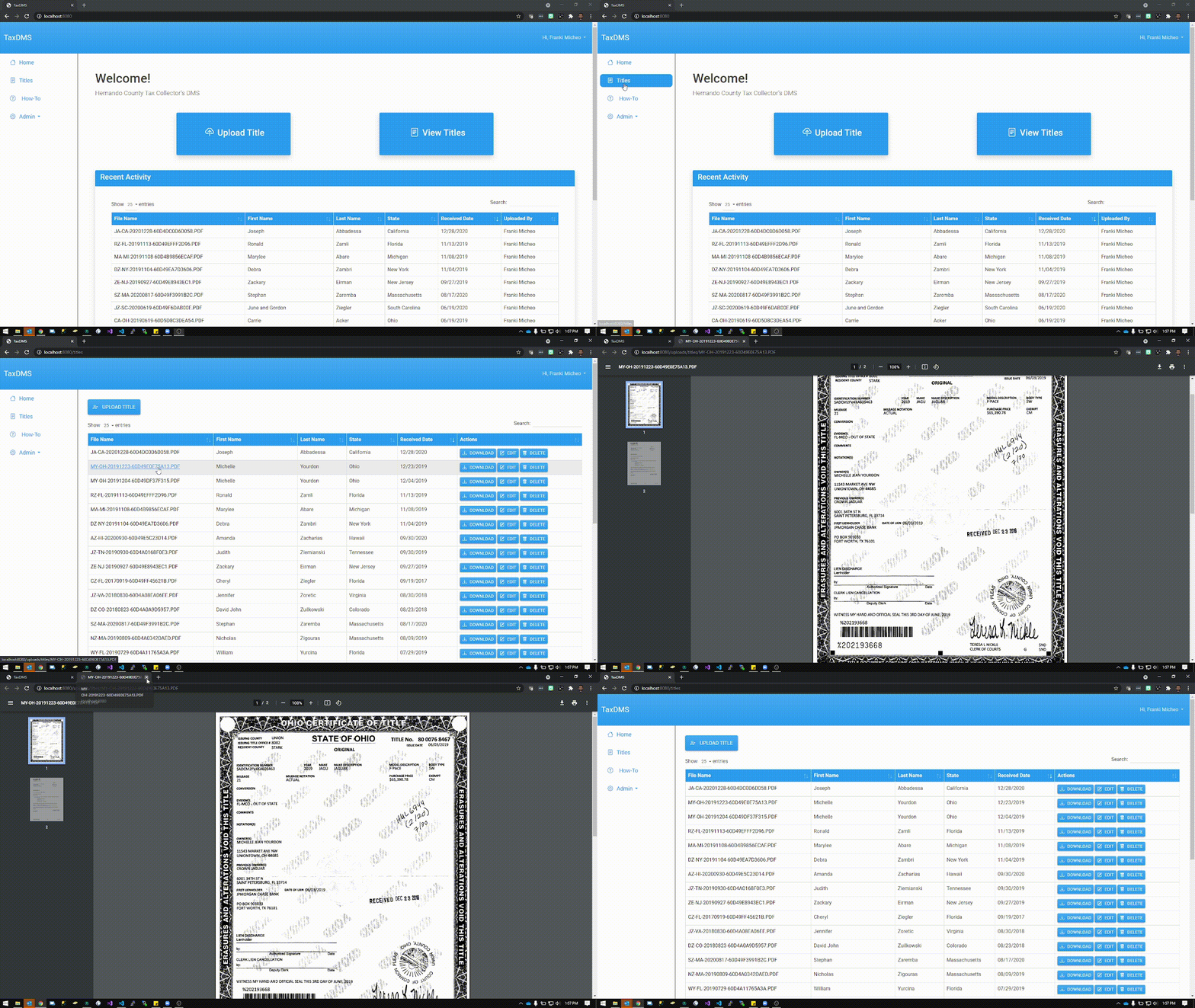
Documents can be viewed by clicking on the File Name column of any view table as shown on the Titles page and the Home page. This will
open the document on a new tab.
Upload
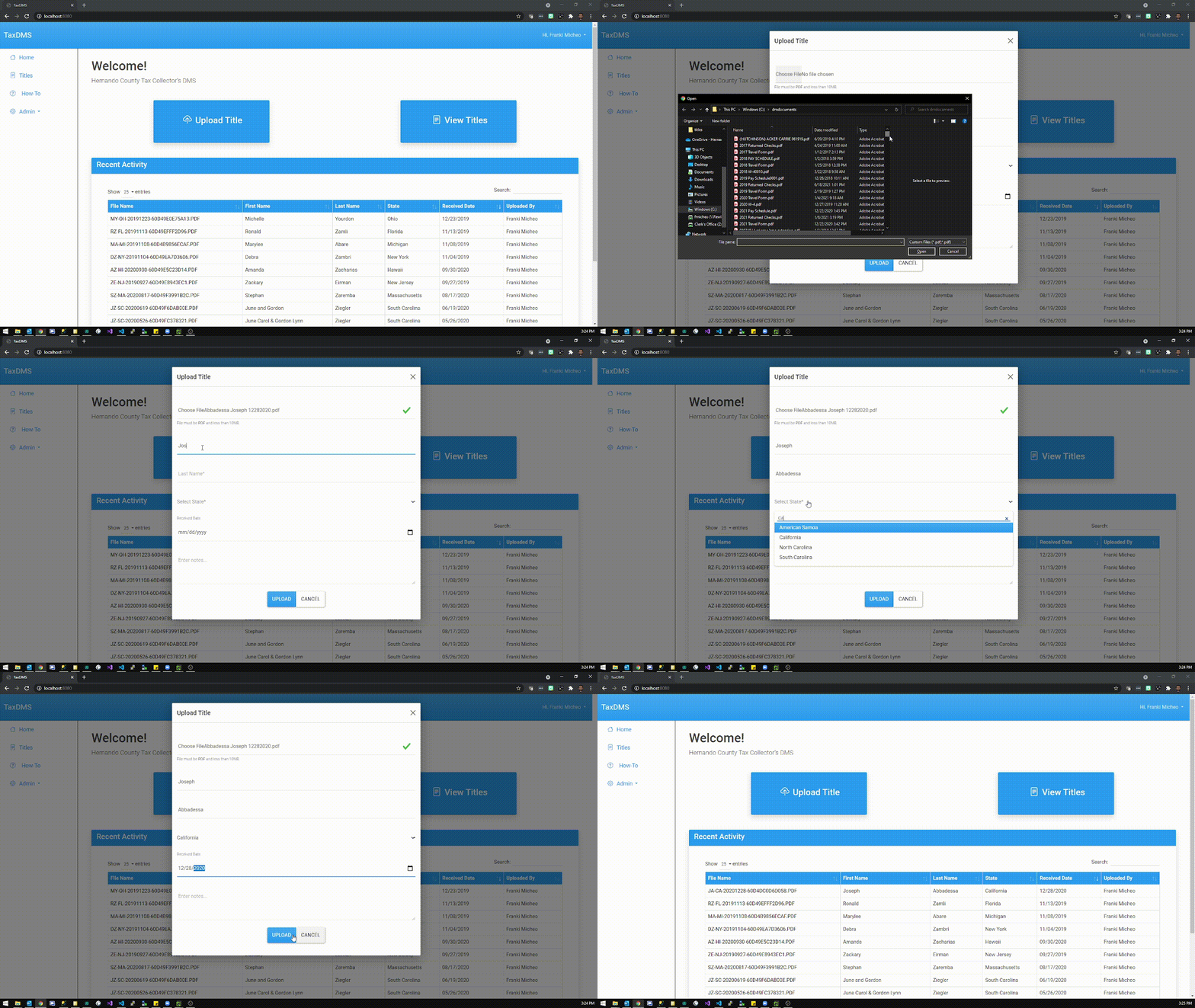
To upload a document, simply click on the Upload Title button on either the Home page or the Title's Page. This will bring a form that requires the user to enter the Customer's First and Last Name, Title's State, the date when the title is received, and the actual title document. Additionally, users can add notes during upload but it is not required. The main requirement to consider when uploading a document is that the file must be a PDF document and be less than 10MB is size. Also, only users with Add/View permissions can perform this function.
Download
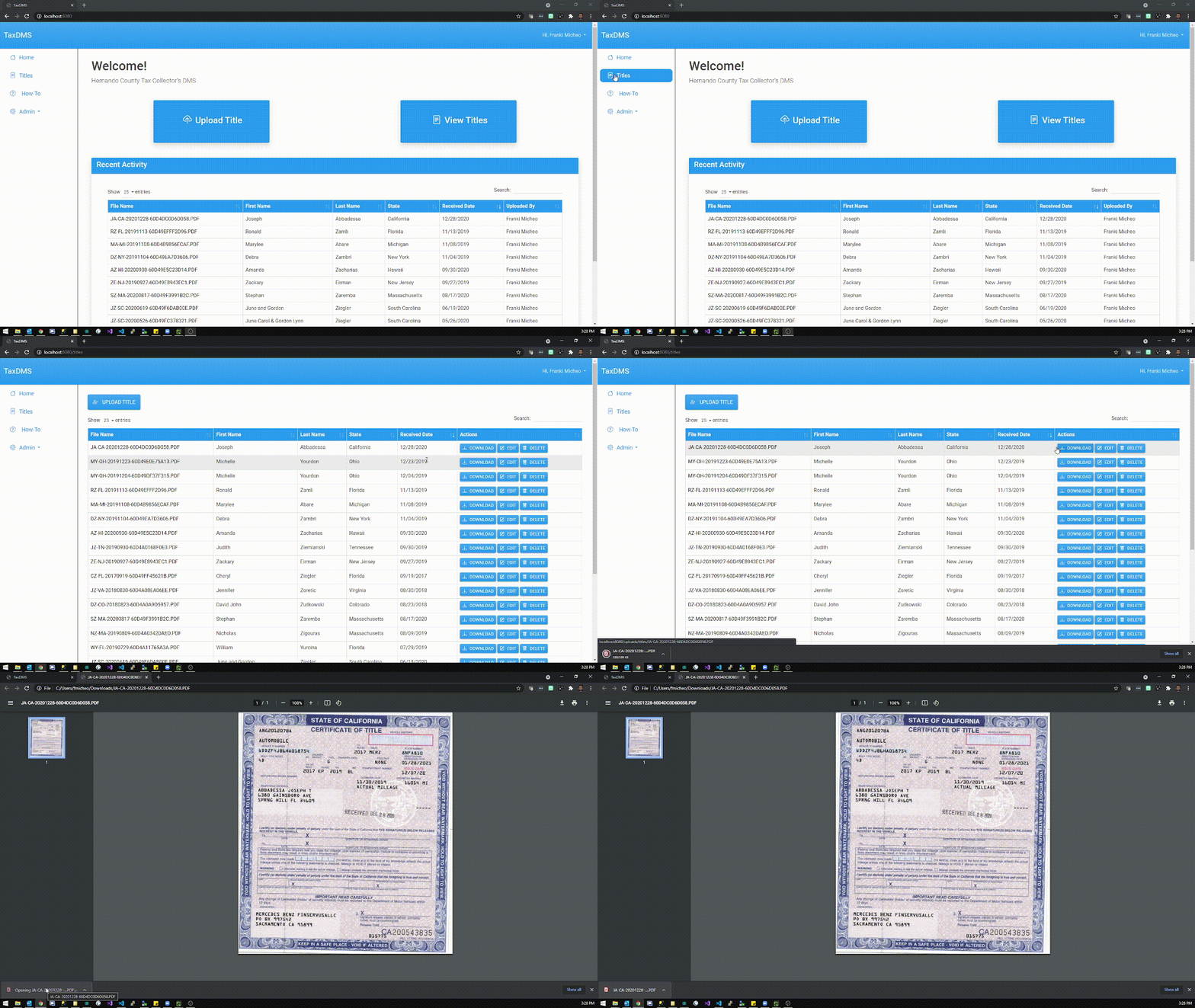
To download a document, simply click on the Download button on the selected row in the Title's Page. This will download the file locally and allow for printing or viewing on the browser or any other PDF viewer.
Edit
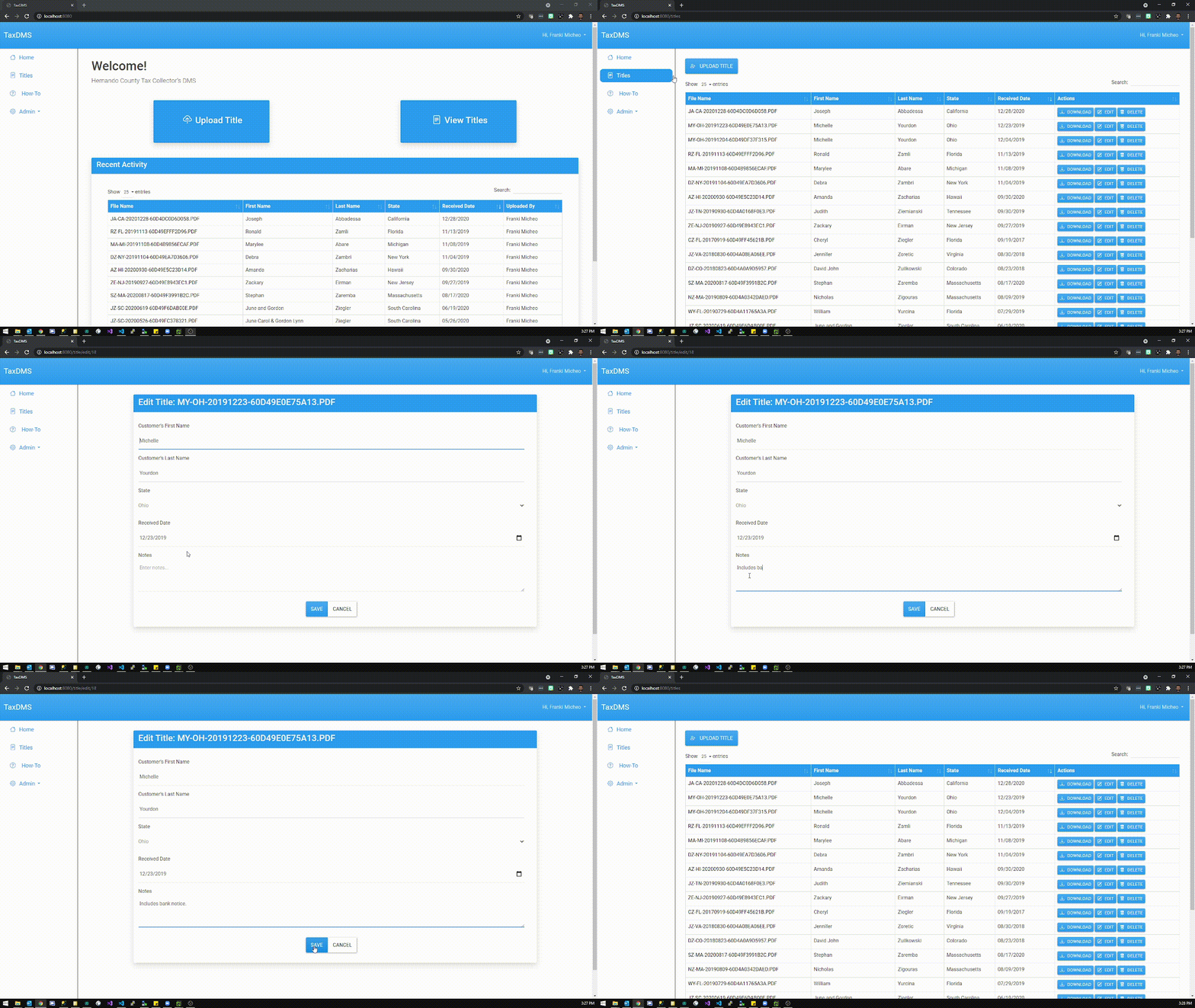
In the case that any property of the record needs to be updated, Users can click on the Edit button to modify the record. This will allow updating the First Name, Last Name, State, Received Date, and the Notes field. If the document itself needs to be replaced, please request to have it deleted. See below.
Delete
If a document needs to be deleted after it has been processed, the Titles page will provide this option within the document record. Once deleted, the TaxDMS application will completely remove the document and cannot be recovered.